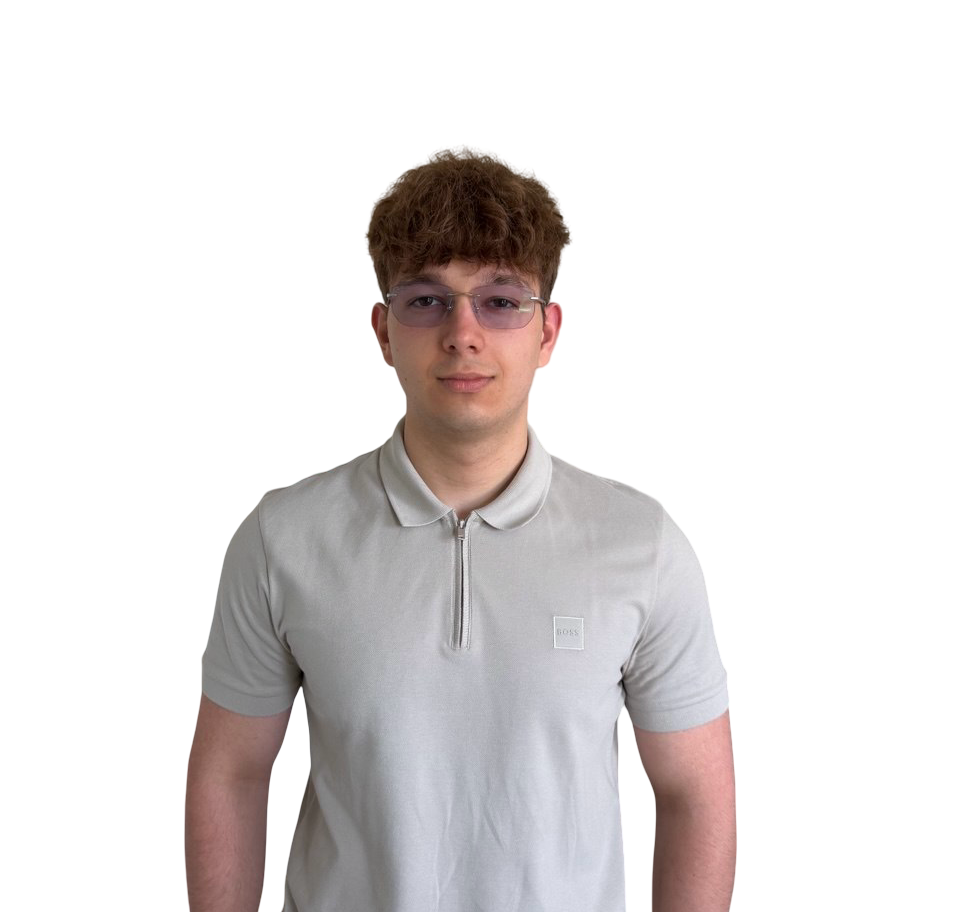
Anatolii Oliper
Technical Artist focused on
tools, shaders and procedural environments

Technical Artist Procedural Systems Unreal Engine 5 AI Workflows Available June 2026
> INITIALIZING PORTFOLIO... > PROFILE LOADED > SPECIALIZATION: Realtime environments, procedural systems, shader development > STATUS: Available for Technical Artist roles
Unreal Engine 5 PCG Framework Blueprint Scripting Procedural Generation Environment Automation AI-Assisted Workflows Spline-Based Placement C++ Editor Widgets Artist-Facing Tools Realtime 3D Maya Substance Painter Unity VFX Unreal Engine 5 PCG Framework Blueprint Scripting Procedural Generation Environment Automation AI-Assisted Workflows Spline-Based Placement C++ Editor Widgets Artist-Facing Tools Realtime 3D Maya Substance Painter Unity VFX

Two pillars.
One portfolio.

Unreal Engine procedural systems · Unity game art production · Technical Art

Unreal Engine 5 · PCG · Blueprints · AI
Procedural Gen PCG Framework Spline Systems AI Workflows Environment Automation

Procedural Roadside Tool

Production-oriented procedural environment system built in Unreal Engine 5. Generates complete roadside layouts along road splines for driving simulation. Delivered to a real industry client.

Explore the system →
Thales Internship - Naval Assets
Unity · Maya · Substance Painter · VFX
Realtime Art 3D Modeling Texturing Unity VFX Asset Production

Thales - Technical Art & 3D

Game Artist internship at Thales Netherlands. Naval asset retexturing, Maya modeling pipeline, Unity rain shader and VFX systems, delivered within a professional Agile workflow.

View project →
Production Tool / 2025 - 2026 Client: Stichting GameLab Oost / Verjo 01

Procedural Roadside Tool

A production-oriented procedural environment system built in Unreal Engine 5. Designed for driving simulation pipelines - generates complete roadside layouts from a single road spline actor, with full artist control over every parameter.

Engine
Unreal Engine 5
Built With
PCG · Blueprint · C++
Timeline
Jan to Jun 2026
Role
Solo Developer
Type
Production Tool
Technology Stack
Unreal Engine 5
PCG Framework
Blueprint Systems
C++ Editor Widgets
Spline-Based Placement
AI-Assisted Workflows
Procedural Environment Gen
Artist-Controlled Parameters
Seed-Based Randomization
Real-Time Iteration
01 / CONTEXT

Production Problem. Real Client.

The client builds driving simulation scenarios for professional training. Every scenario needs a different stretch of road with believable surroundings: houses, fences, yards, trees, all of it. They used to use real driving footage, but now they're moving everything into Unreal so they can change scenes on demand.

The problem wasn't making 3D assets. The problem was placing them. Artists kept doing the same thing over and over: drag a house, rotate it to face the road, repeat fifty times, then start on the fences. By the end of one road, they were tired. By the end of one scenario, they were burnt out.

That bottleneck became the design brief.

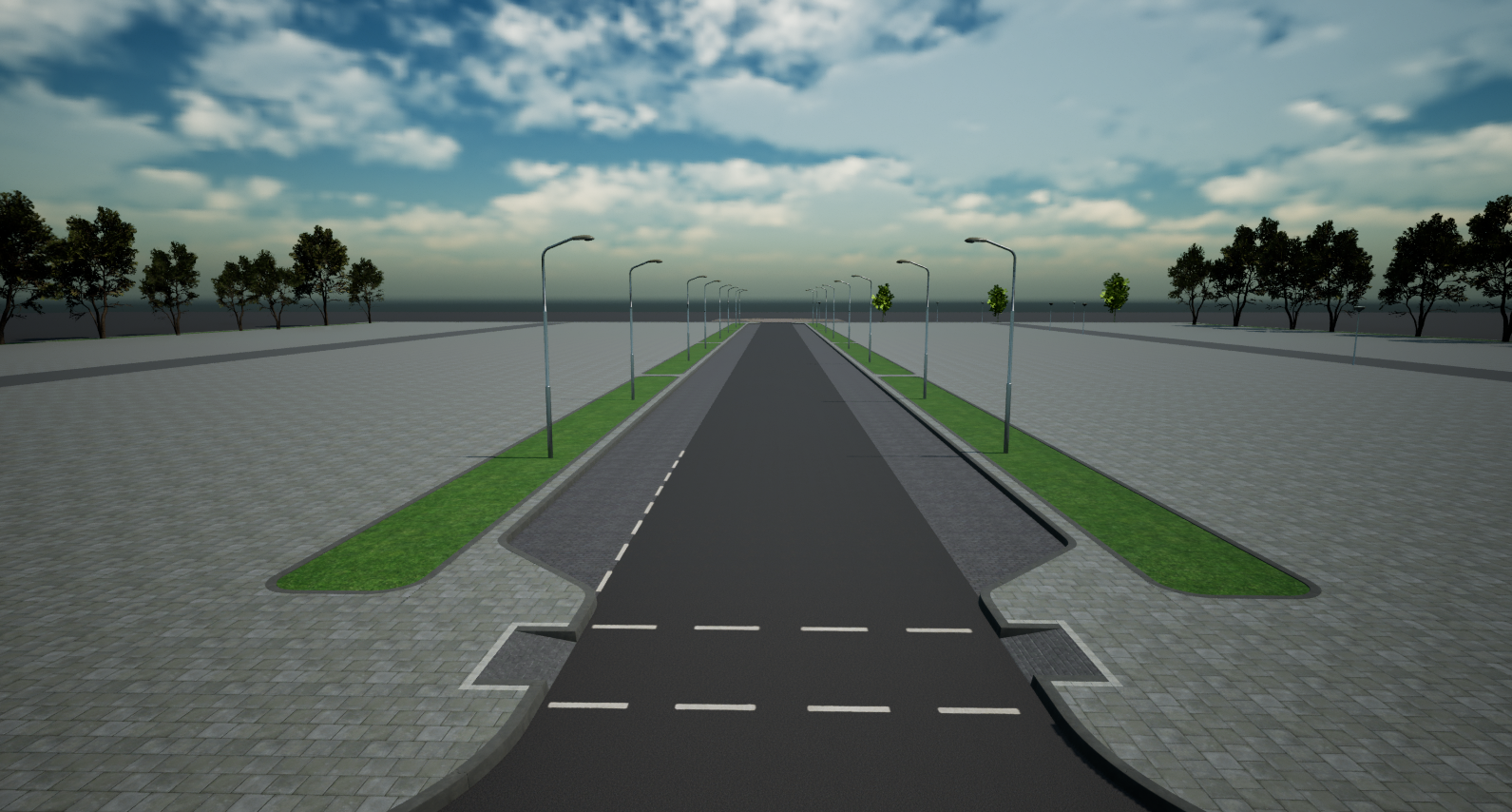
Before - road without procedural population
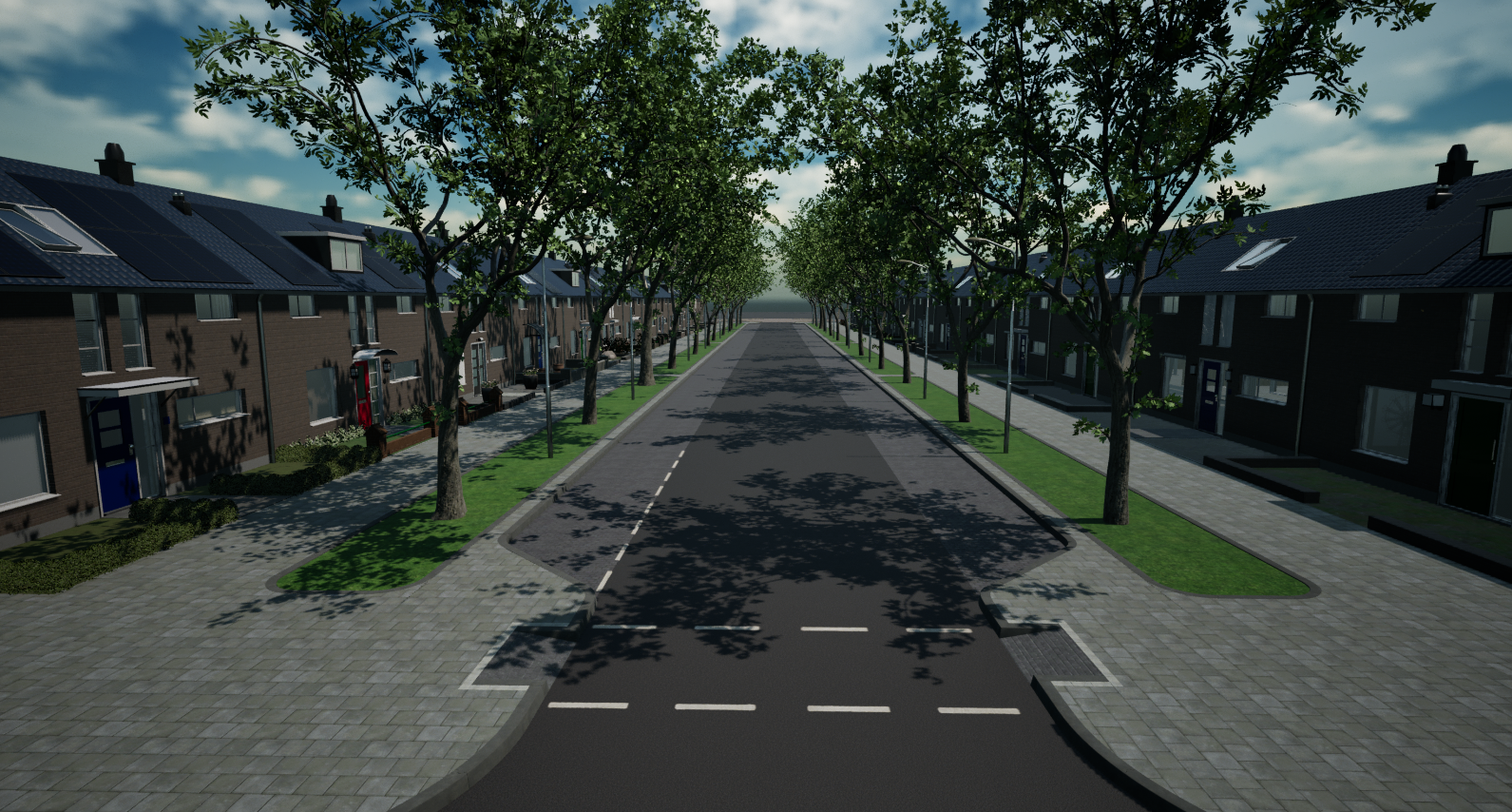
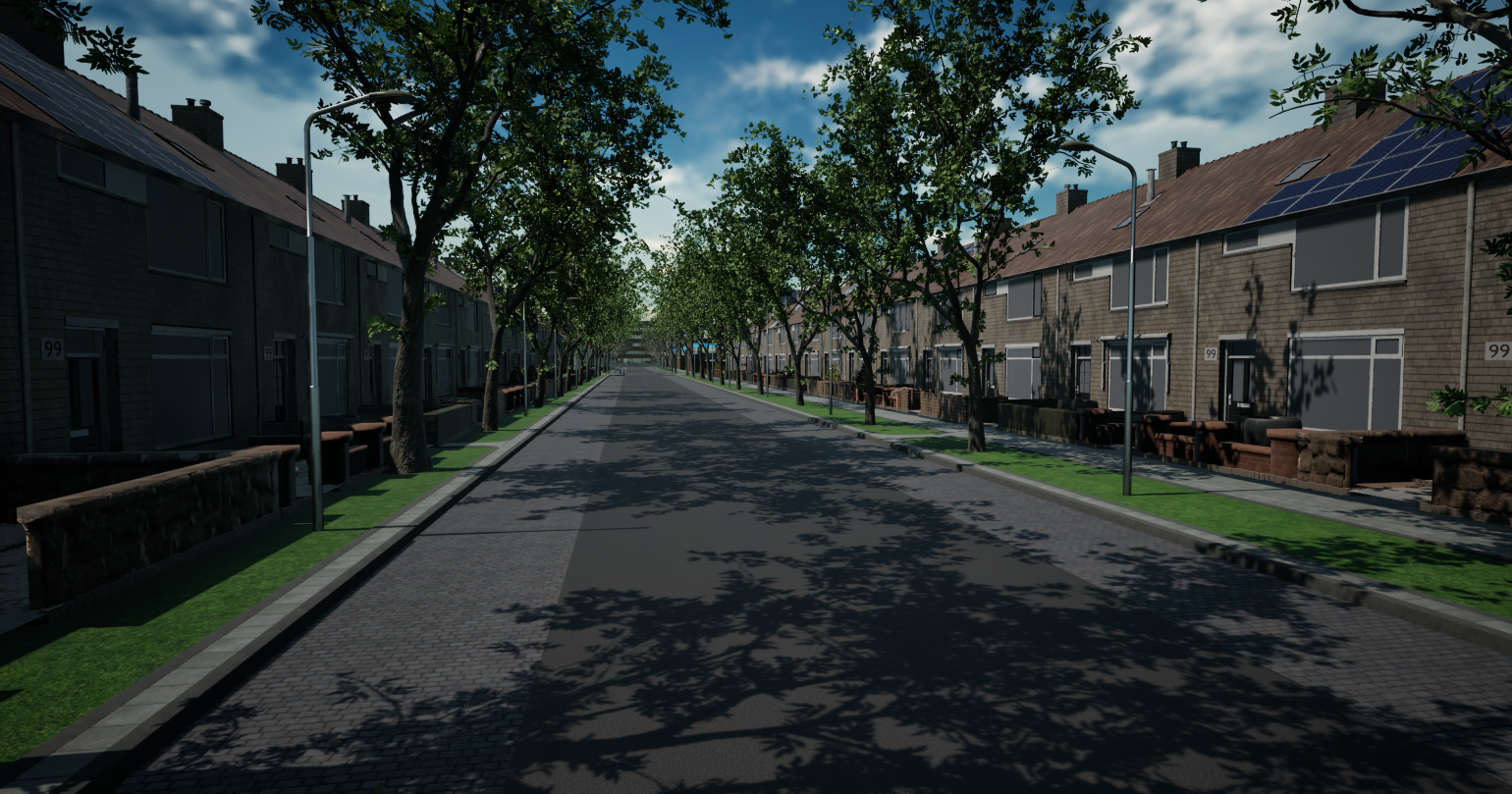
After - road fully populated by the procedural tool
02 / COLLABORATION

Collaborative System Integration.

Developed as part of a collaborative Unreal Engine graduation project. While the road generation system was developed separately, my role focused on creating and integrating the procedural roadside environment systems around it. This included building rows, yards, fences, props, cluster-based house variation, artist-controlled parameters, and AI-assisted workflow controls.

A key part of my work was connecting these environment systems to the spline-based road framework so that houses and roadside elements could align correctly with straight and curved roads. This required solving spacing, offset, row length, intersection, and system-integration challenges to make the final tool behave as one connected production workflow.

My Contribution

Roadside Environment Systems

  • + Procedural building row generation
  • + Cluster-based house variation
  • + Front and back yard systems
  • + Fence and prop placement
  • + Artist-controlled parameters
  • + Seed-based randomization
  • + AI-assisted environment control
  • + Integration with spline-based road generation
  • + Curved road placement support
  • + Intersection and row-end adjustment logic
Collaboration Focus

Pipeline Integration

  • + Integrated my systems into an existing road generation framework
  • + Coordinated technical requirements between road and environment systems
  • + Solved alignment and spacing issues across connected procedural tools
  • + Built the environment side to remain editable and controllable for artists
03 / RESEARCH

Research-Led Design.

Before writing any code, I ran structured interviews with environment artists and the client team to identify where time was lost and what an artist-facing tool actually needed.

"How can procedural systems automate roadside environment creation in Unreal Engine, while still letting environment artists stay in control?"

That's the question I tried to answer. From the interviews and a bunch of desk research on PCG, scatter systems and other simulation tools, six findings kept coming back. Each one turned into a real feature.

04 / SYSTEM ARCHITECTURE

Modular. Layered. Artist-Facing.

The system separates concerns across three layers. PCG Graphs handle road-side point sampling and pass data downstream. Blueprints consume those points to spawn and configure houses, yards, fences, props, and cluster groups. A C++ Editor Widget sits on top as an optional AI command layer, mapping natural language to parameter changes without touching the underlying generation logic.

Every parameter surfaces in the Details panel. Every result is deterministic and reproducible. Nothing the system generates is locked - artists can override, extend, or discard any generated element.

System Overview - Three Layers Working Together
PCG handles road sampling → Blueprints spawn houses/yards/props → C++ drives the AI command interface
Blueprint Architecture
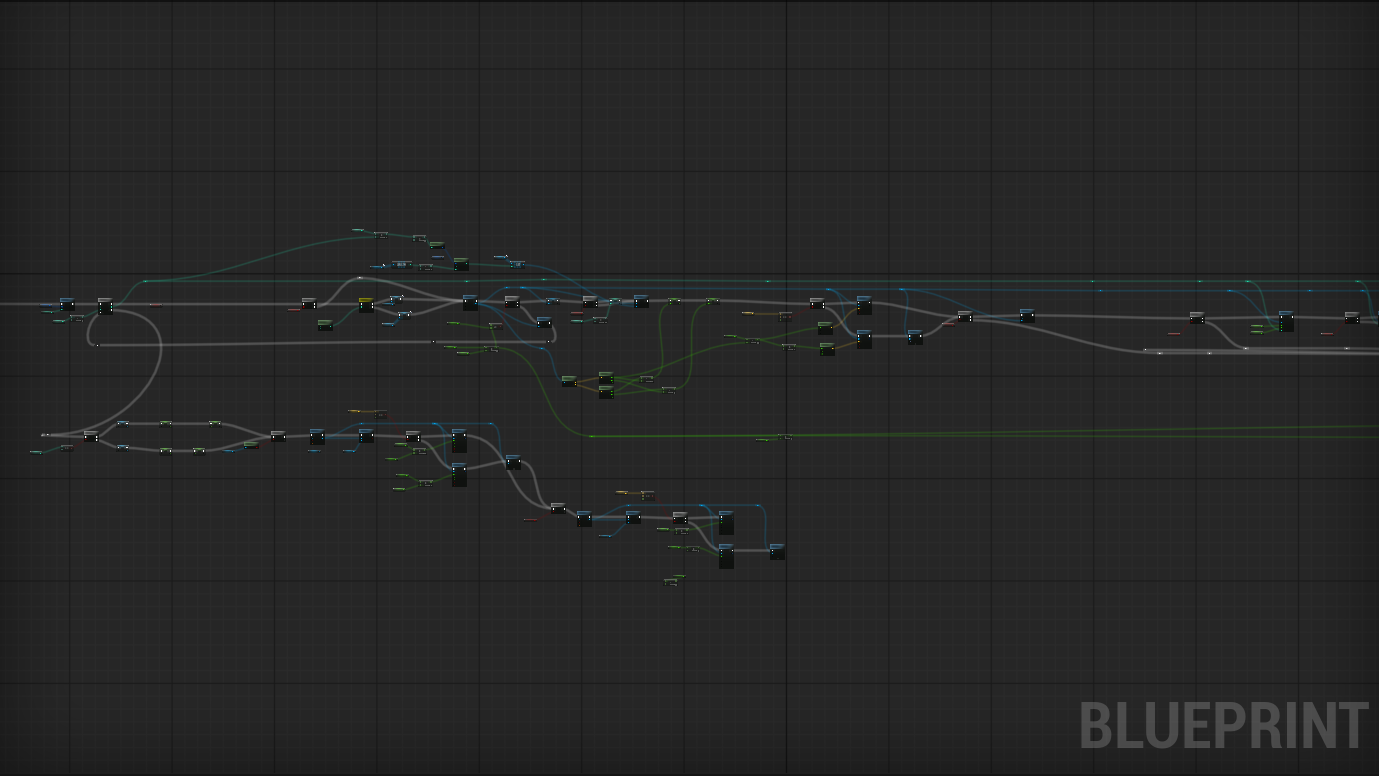
Blueprint - procedural road generation nodes
Building_row Blueprint - Construction Script with modular generation functions
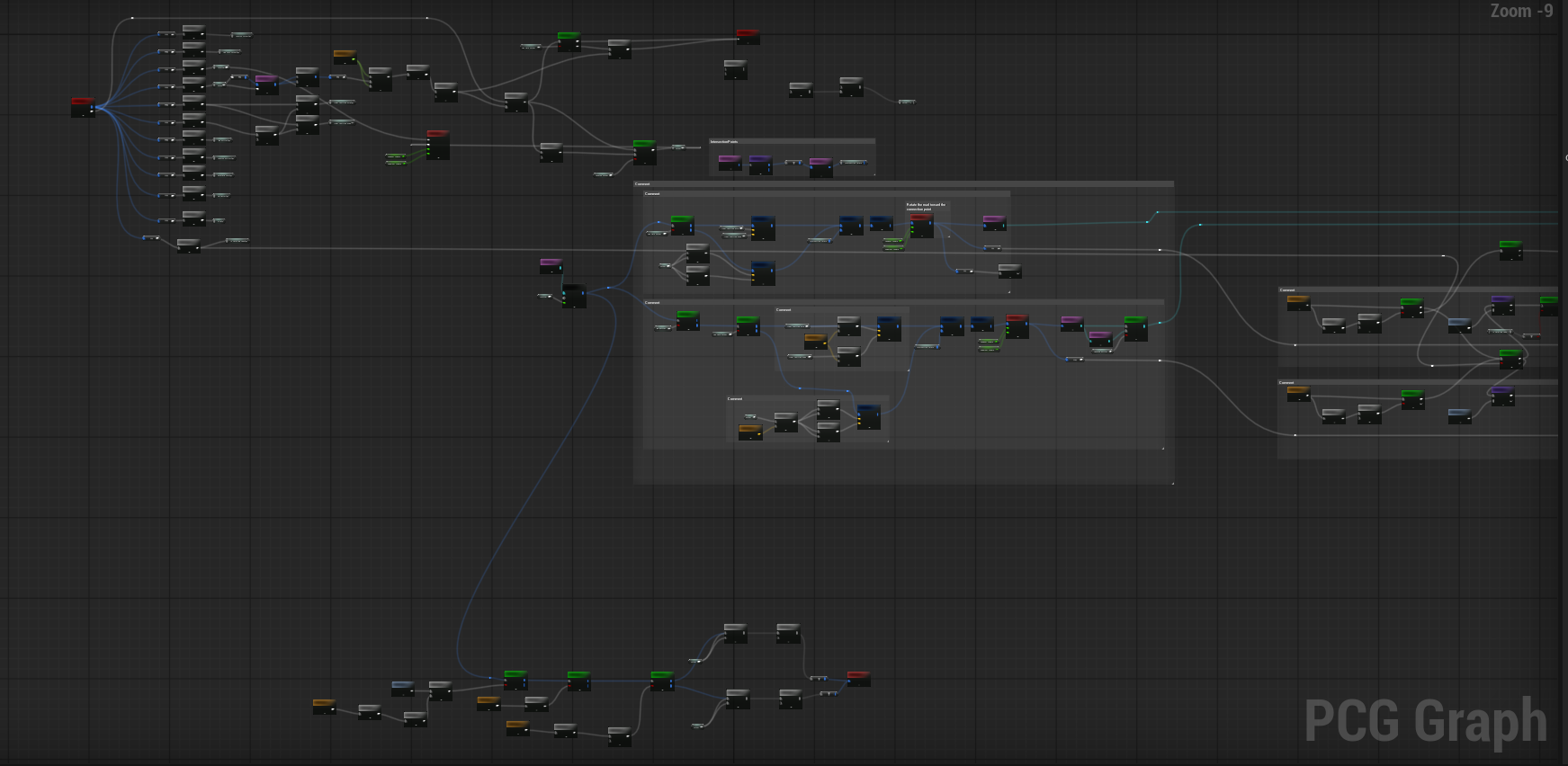
PCG Graph
PCG Graph - procedural content generation nodes
RoadPCG → RoadLegoBlock → Buildings_pcg - road data flows through these subgraphs
05 / CORE SYSTEMS

Systems Built. Problems Solved.

Each system in the tool addresses a specific production constraint identified during user research. Nothing was built speculatively.

Road-Aligned Procedural Placement

Houses spawn along the road spline and inherit its direction automatically. Offset from road edge is calculated per-side, accounting for house dimensions. The system handles straight segments, curves, and sharp transitions without manual intervention.

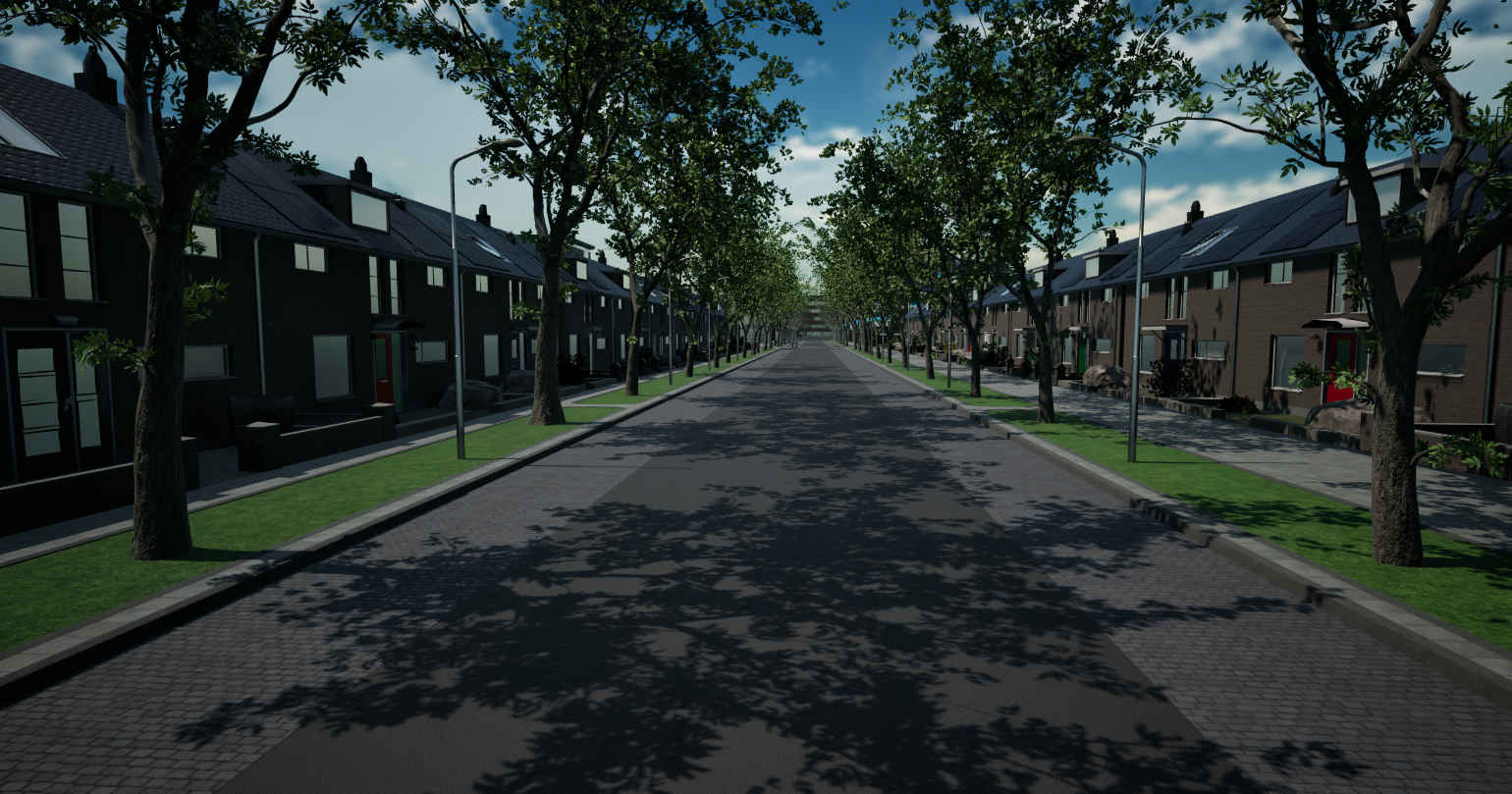
Full System - Road-Aligned Generation
Houses, yards, fences and props spawning along a live road spline in the Unreal Editor
Spline-Based House Placement
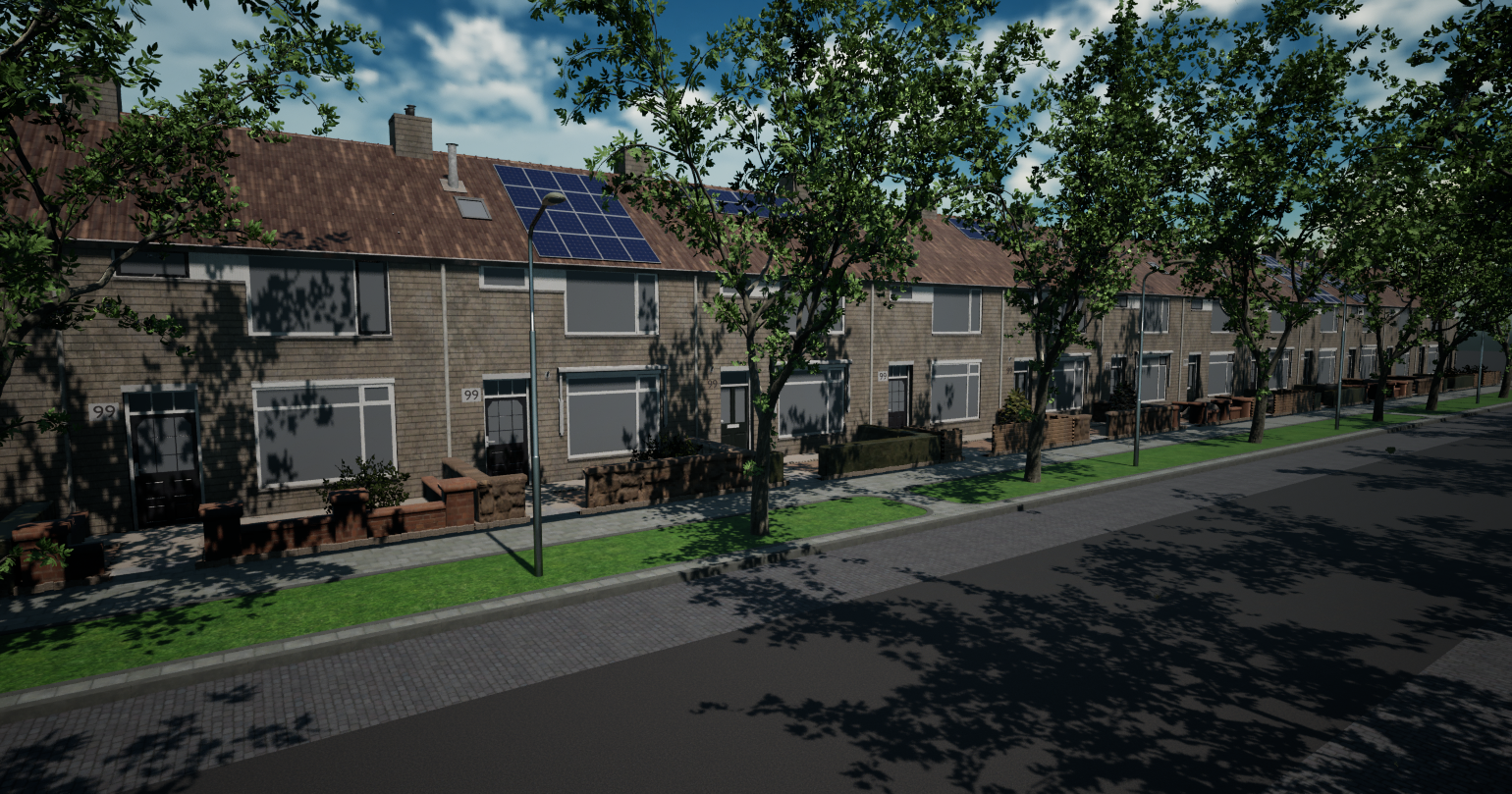
Houses sampling the road spline - position, rotation and offset calculated from tangent direction at each point

Cluster-Based Generation

Implemented cluster-based procedural generation inspired by Dutch residential street layouts. Houses are grouped into controlled clusters with randomized spacing, reducing repetitive visual patterns and creating more natural street rhythm. The system was validated against real Dutch neighbourhood reference.

  • + Controlled group size per cluster
  • + Randomized cluster variation
  • + Works with house type selection
  • + Helps avoid repetitive rows
  • + Intersection-friendly gap logic
  • + Improves artistic control
Cluster House Generation
Cluster-based generation - natural street rhythm from controlled group spacing

Deterministic Randomization

Every procedural result is tied to a seed value. Same seed, same scene - always. Different systems use independent seeds so fence variation, prop placement, and house selection can be changed without affecting each other. Critical for client review workflows.

Fence Seed Randomization
Independent seed per system - changing the fence seed doesn't affect house or prop variation
Prop Seed Randomization
Front yard props randomized separately from back yard and fence systems
Backyard Seed Control
Backyard generation with its own seed - reproducible for client review and iteration
House Type Randomization
Mixed house mode selects from multiple mesh arrays to break up repetitive rows

Full Environment Dressing

Houses alone do not create a believable environment. The system generates front yards, back yards, fence lines with variation, and prop sets relative to each house. Generation functions are modular - each element can be toggled, reseeded, or overridden independently.

Yards, Fences & Props - Full System
Front yards, back yards, fences with variation, and props - all generated from the same road spline actor
Generated Scene - Street Level
Residential area overview
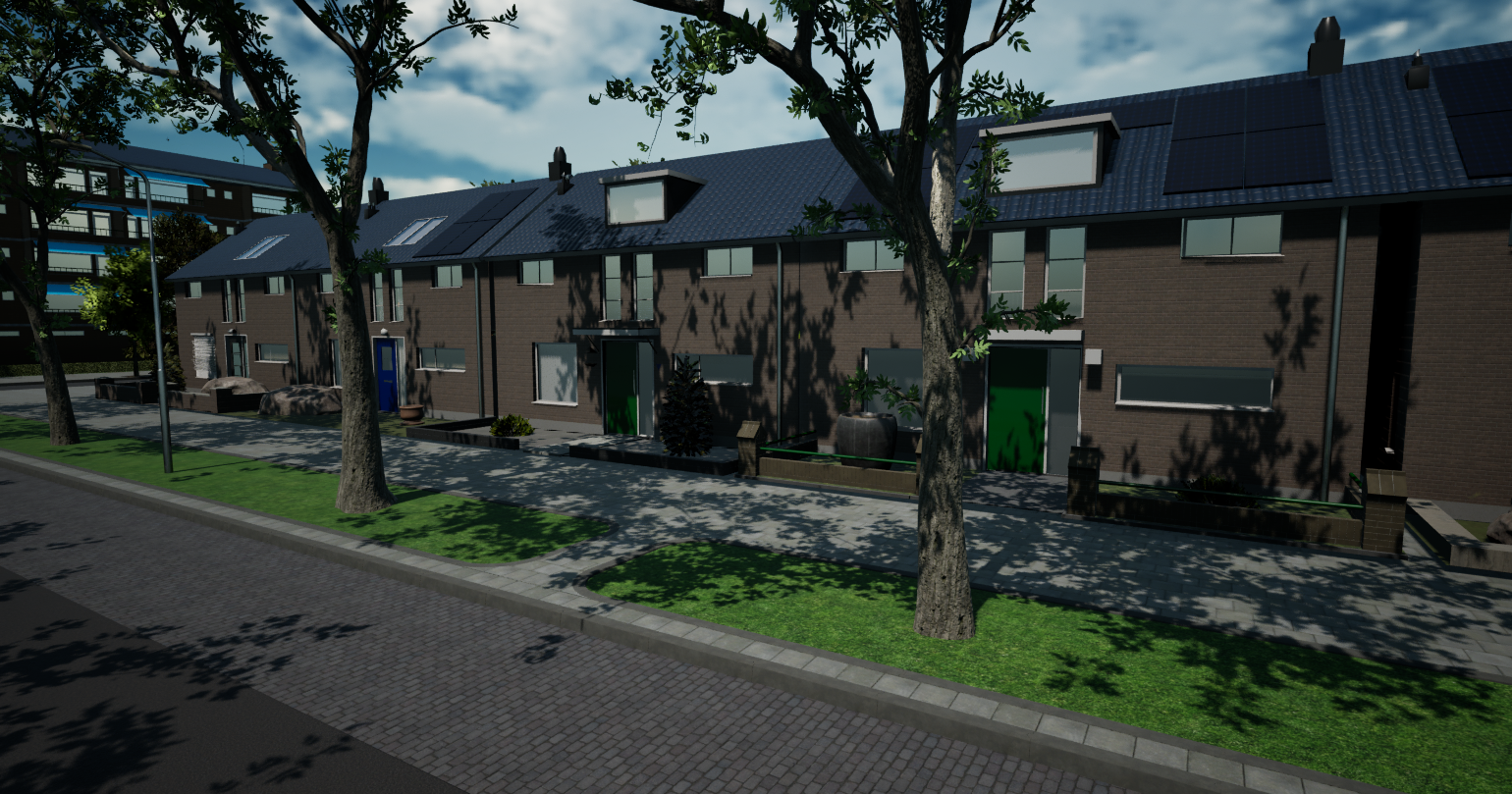
Generated Scene - House Variation
Residential area detail
Generated Scene - Aerial View
Residential area aerial
Generated Scene - Full Block
Residential area full block
AI Integration - Experimental Feature

Type commands. Tool responds.

I also built a C++ editor widget that lets artists control the procedural tool through natural language. Type "enable yards" or "set gap to 200" and the scene reacts. Full deep-dive in Section 09 below.

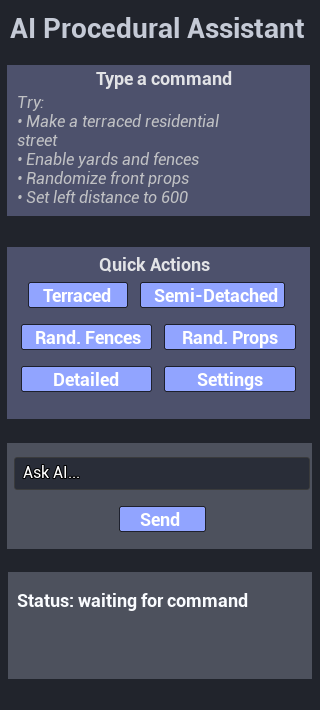
AI Button Commands
Quick-action buttons trigger preset AI commands - for frequently repeated operations
06 / STACK

Technical Stack.

Built entirely within Unreal Engine 5. PCG Framework for point sampling and road-side data distribution. Blueprint Construction Scripts for actor generation. C++ for the editor widget and AI integration layer. Standard DCC pipeline for asset preparation.

Unreal Engine 5
PCG Framework
Blueprints
C++
Spline Components
Construction Scripts
Editor Widgets
Maya
Substance Painter
GitHub
Agile / Scrum
Jira
07 / PROCESS

How it came together.

Six months. Two rounds of user testing. A lot of broken Blueprints in between.

Phase 01 / Jan 2026

Talking to people

Interviews with the client and with environment artists. Figured out where the actual pain was. Did some desk research on PCG and similar tools.

Phase 02 / Feb 2026

Writing it down

Turned the messy findings into business, functional and quality requirements. Used MoSCoW to figure out what could ship by June and what was a "later" feature.

Phase 03 / Feb to Mar 2026

First working version

Straight rows of houses along a road. Basic yards. One house type. Fixed parameters. Ugly, but it worked.

Phase 04 / Mar 2026

First user test

Sat artists down and watched them use it. They liked the idea, but said they needed more control, more variation, and help with intersections.

Phase 05 / Apr to May 2026

Rebuilding based on feedback

Auto offset. Curve handling. Multiple house types. Seed system. Corner houses. Start and end deletion for intersections. Updated 3D models. The AI command prototype.

Phase 06 / May 2026

Second user test

Tested each new feature with real artists. Asked the hard question: does this actually preserve artistic control, or is it just faster automation?

Phase 07 / Jun 2026

Final delivery

Documentation, graduation report, client handover.

08 / OUTCOMES

Project Outcomes.

Delivered to a real industry client. Validated through two rounds of user testing with environment artists.

Full System Demo - All Features Running Together
End-to-end demo: road spline → PCG graph → cluster-based house generation → yards, fences, props, and AI command control
09 / AI INTEGRATION

AI-Assisted Workflow Layer.

Experimental Feature - Live Prototype
Full AI Demo - Natural Language to Procedural Params
Typing commands in the Unreal widget → AI interprets intent → Blueprint parameters update → scene rebuilds

Natural Language. Procedural Output.

The procedural tool exposes 20+ parameters across houses, yards, fences, props, and cluster logic. Learning which parameter does what adds friction to the artist workflow. The AI layer removes that friction.

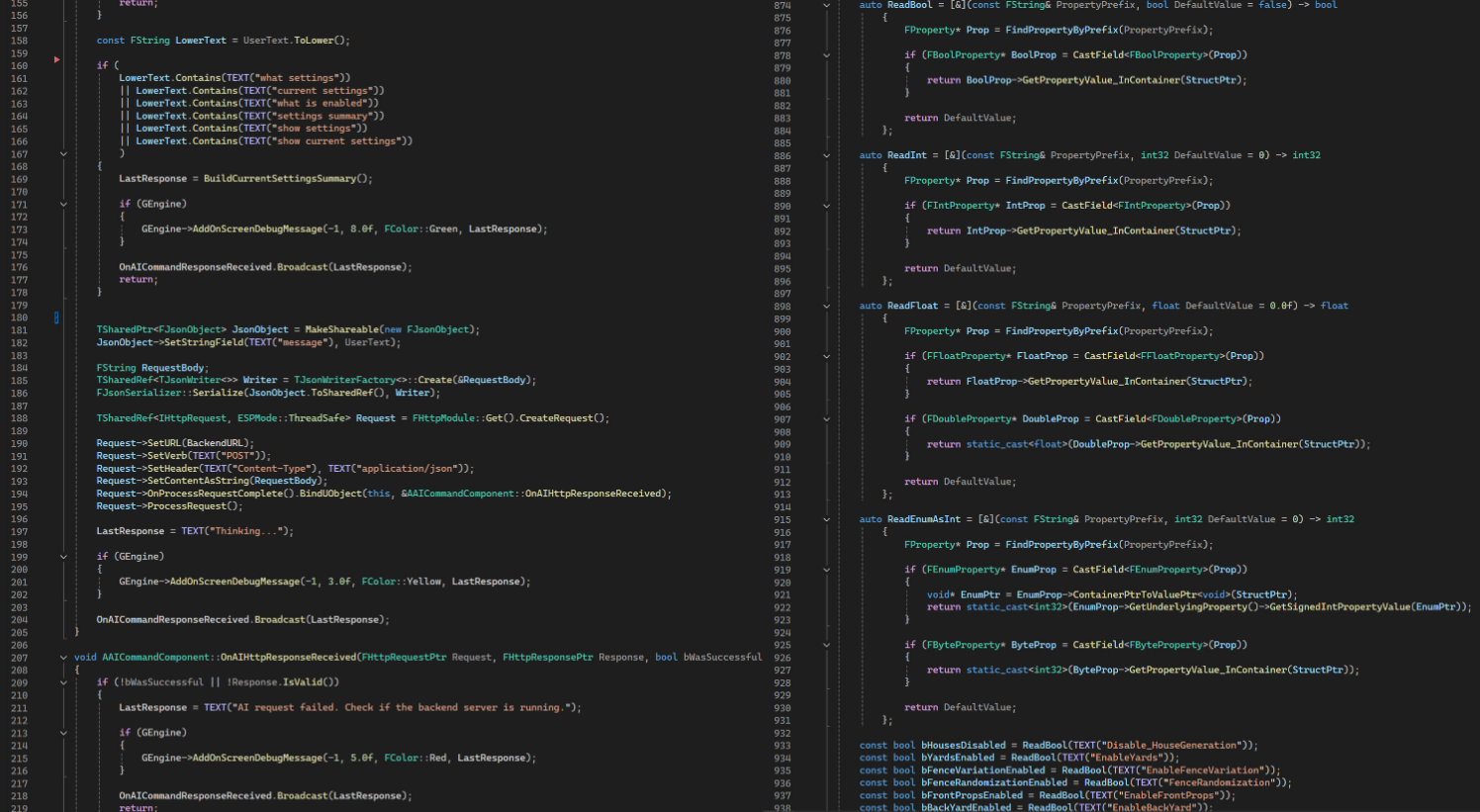
A C++ editor widget accepts natural language commands, sends them to a configurable AI endpoint, and maps the response directly onto Blueprint properties. The environment rebuilds in real time. No manual slider adjustment required.

The system is provider-agnostic - it supports local models via Ollama or any OpenAI-compatible endpoint. The AI layer is strictly an interface concern: it does not touch the procedural logic.

"Enable yards, use mixed houses, set gap to 200."
- one input, three parameter changes, instant environment update.

Layer
C++ Editor Widget
Talks To
PCG & Blueprints
AI Backend
Ollama / OpenAI-compat.
Status
Live Prototype
Quick-Action Buttons
One-tap buttons for the six commands used most often
Multi-Command Workflow
Chaining multiple commands in one session - show settings → enable yards → use mixed houses → randomize fences
System Architecture
C++ Architecture - how the assistant talks to PCG and Blueprints
C++ widget → HTTP request to AI endpoint → parsed response → Blueprint property updates
AI Procedural Assistant online
› YOU
Make a semi detached residential street.
› ASSISTANT
Done. A detailed semi-detached residential street setup was applied.
QUICK ACTIONS
Terraced Semi-Detached Rand. Fences Rand. Props Detailed Settings
› YOU
Set left distance to 600
Natural language → params

Type a sentence, the assistant maps it onto the right PCG values and Blueprint flags.

Quick actions

Six recurring commands sit as one-tap buttons. Fast for repetitive shots.

Non-destructive

Every AI change is just a parameter change. Artists can undo, override, or ignore it.

Editor native

Built as a C++ editor widget. No external service. Lives next to the Outliner.

Example command sequence
Show current settings
Enable yards
Enable fence variation
Use mixed houses
Randomize fences
Randomize front props
Set gap to 200
Set right distance to 1300
Show current settings
$ try:
"Make a terraced residential street." ◆ "Enable yards and fences." ◆ "Randomize front props." ◆ "Set left distance to 600." ◆ "Regenerate with seed 47." ◆ "Disable houses on the left side." ◆ "Use mixed houses." ◆ "Show current settings." ◆ "Make a terraced residential street." ◆ "Enable yards and fences." ◆ "Randomize front props." ◆ "Set left distance to 600." ◆
10 / WHY AI MATTERS HERE

Tools that meet you where you are.

The procedural tool is already an improvement on manual environment creation. But it still requires artists to learn what each parameter does. The AI layer adds a second doorway: if you know the sliders, use them. If you don't, just describe what you want.

Right now it's a prototype - it understands the vocabulary of this tool. The bigger direction is tools that explain themselves, adapt to the user's vocabulary, and make complex procedural systems accessible to artists who aren't technically minded.

Technical stack: Unreal C++ Editor Widget → HTTP request to configurable AI endpoint (local Ollama or external OpenAI-compatible API) → JSON response parsed by Blueprint → procedural properties updated in real time.

Internship / Aug 2024 - Jan 2025 Client: Thales Netherlands 02

Thales - Technical Art & 3D Production

Game Artist internship at Thales Netherlands working on a realtime naval combat simulation game. Responsible for visual consistency across ship assets, Maya-based 3D modeling, Substance Painter texturing workflows, and Unity VFX experimentation - all delivered within a professional Agile pipeline.

Engine
Unity
Tools
Maya · Substance Painter · Blender
Timeline
Aug 2024 - Jan 2025
Role
Game Artist Intern
Technology Stack
Unity
Maya
Substance Painter
Blender
Realtime Asset Production
UV Unwrapping
Unity VFX / Particle Systems
Custom HLSL Shaders
Shader Graph
Agile / Scrum
01 / NAVAL ASSET PRODUCTION

Visual consistency at scale.

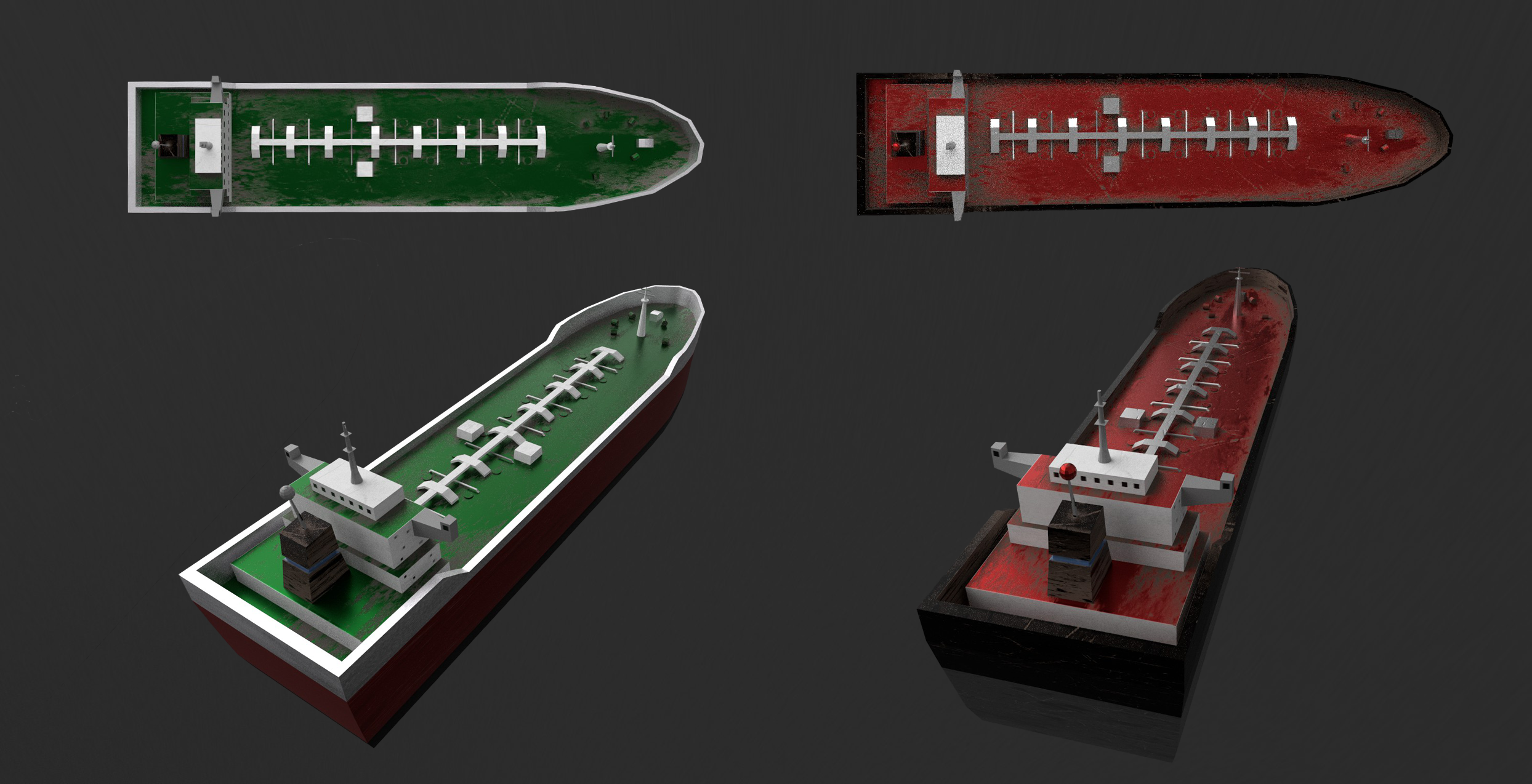
The existing ship assets in the Thales game lacked visual consistency - each ship had been textured differently, making them feel like they belonged to different games. The task was to establish a unified visual language across all naval vessels: a shared palette of grays, blacks, and reds, consistent dirt and wear layering, and material properties that read clearly in realtime.

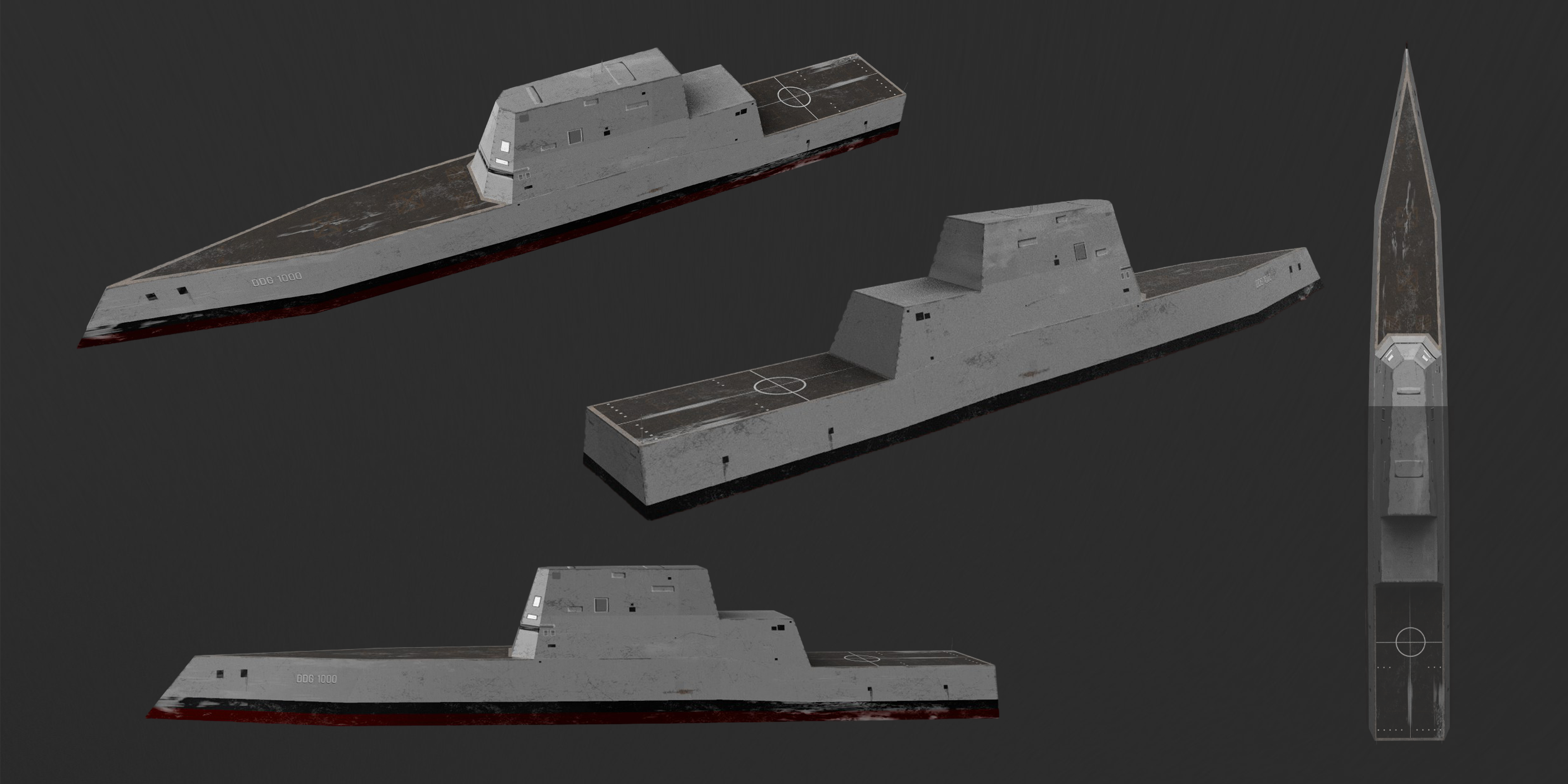
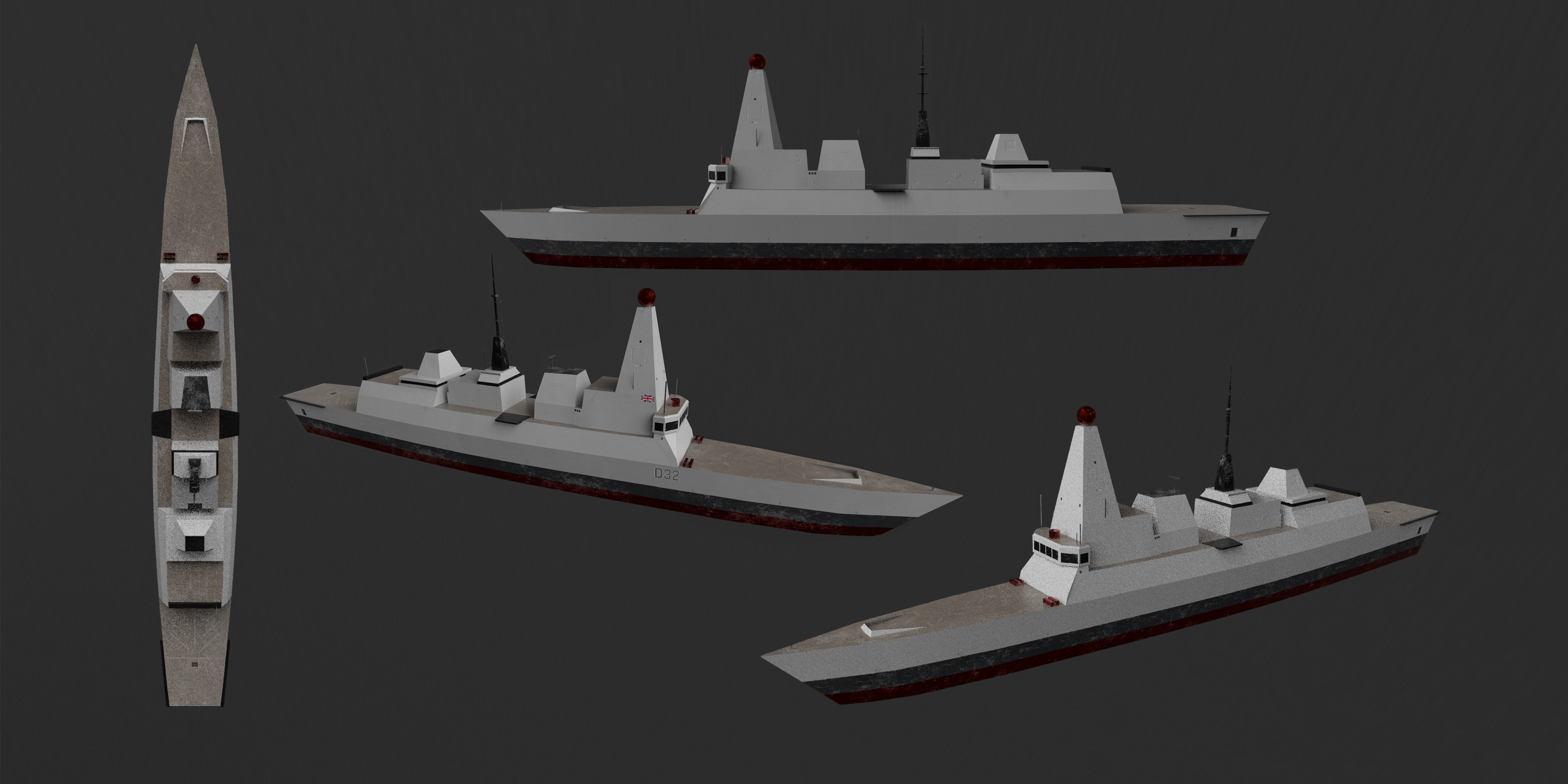
Retextured five ships in Substance Painter: F221 HESSEN, F804 DE RUYTER, TYPE 45 DARING, D32, and DDG ZUMWALT. Each required individual analysis of reference photography and calibration against the target art direction. The result is a fleet that reads as a coherent set.

Naval Fleet - Retextured
Thales naval ships retextured - full fleet
Unified material language across all ship assets - consistent palette and wear layering
DDG Zumwalt
DDG Zumwalt retextured ship
D32 Ship
D32 ship retextured
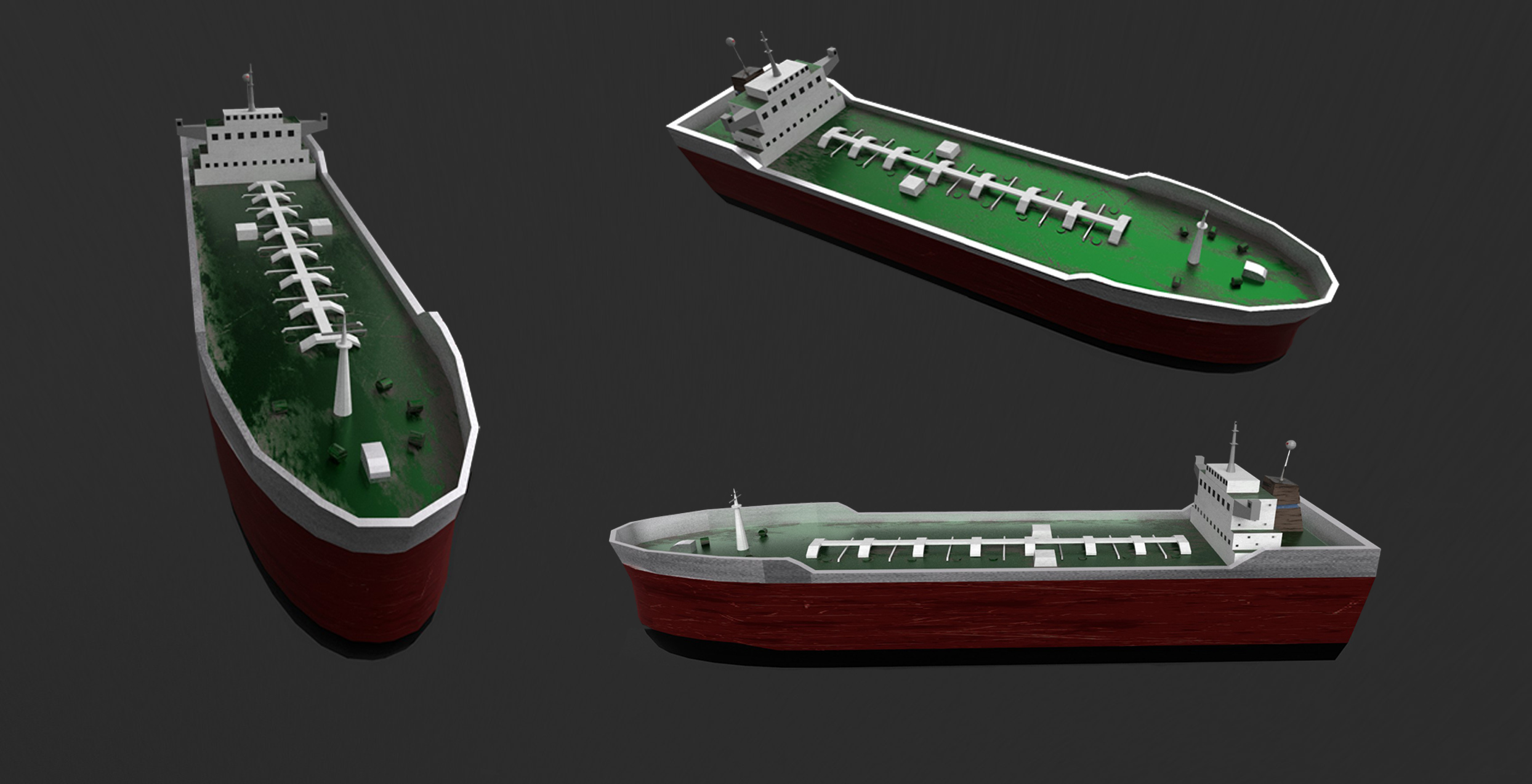
Tanker Assets - Side View
Tanker ships - side view
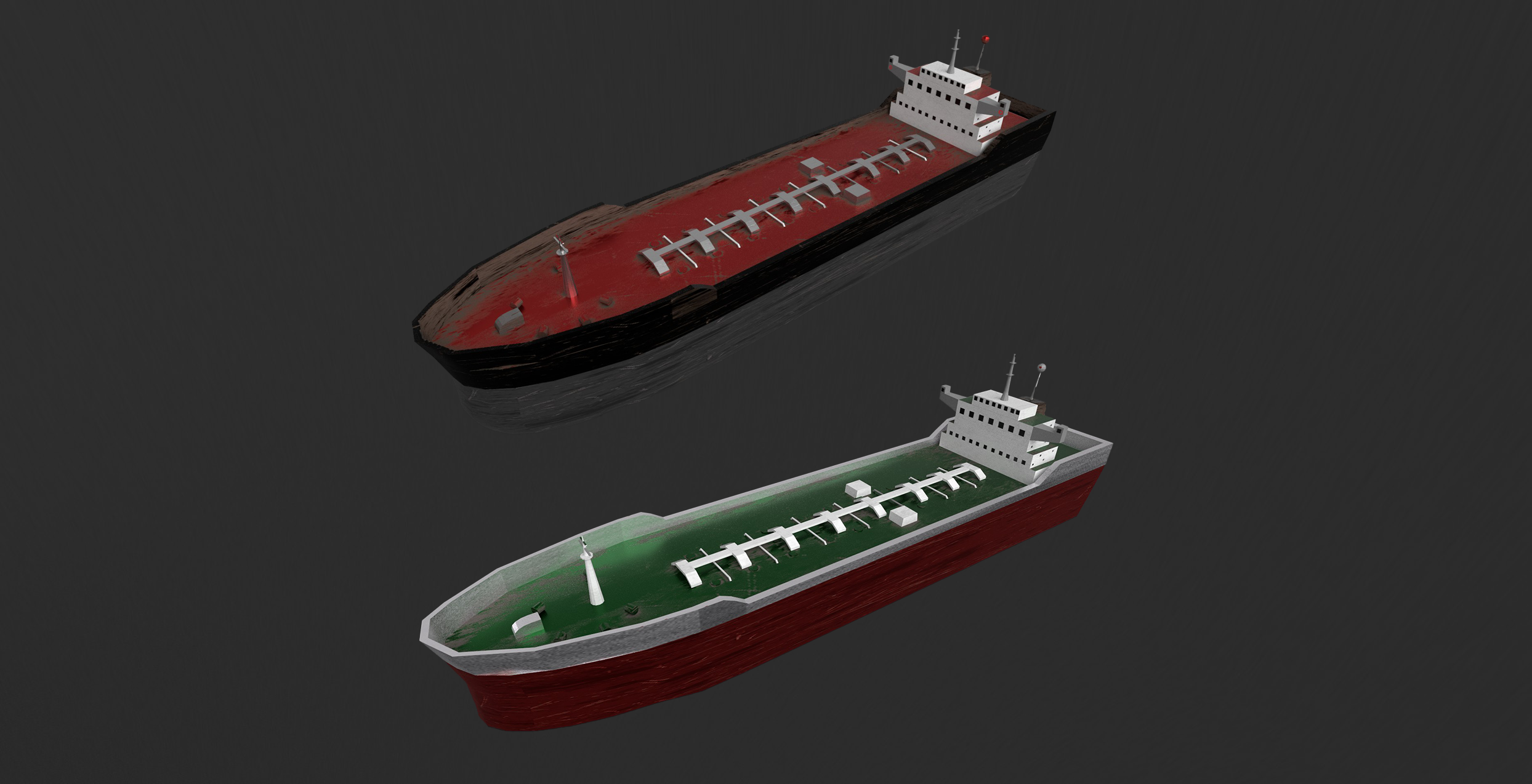
Tanker Assets - Overhead
Tanker ships - overhead view
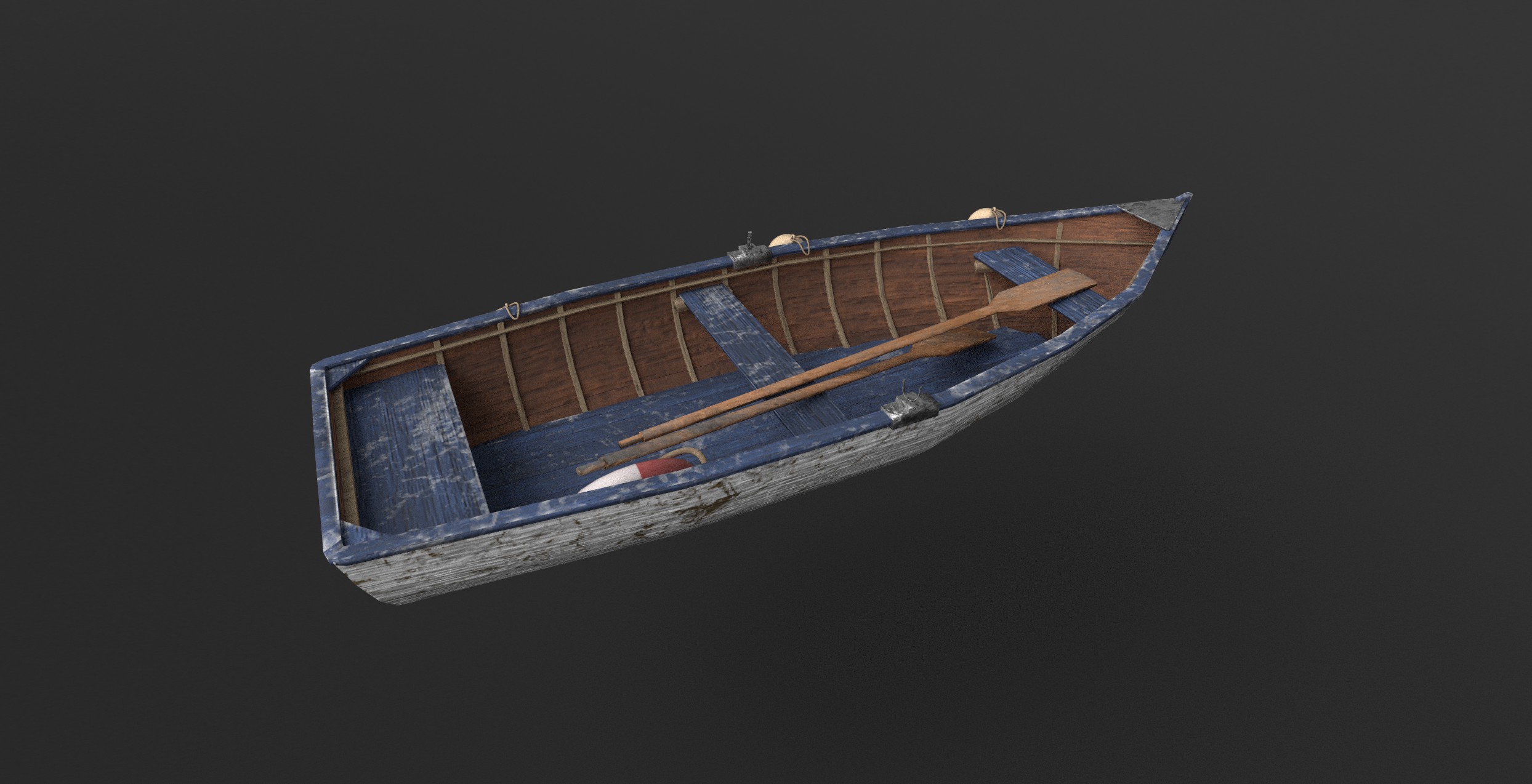
02 / FISHING BOAT - MAYA PIPELINE

Maya to Substance Painter.

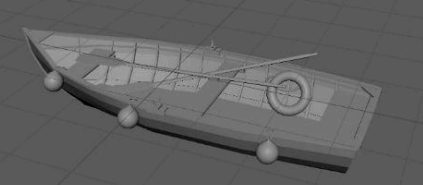
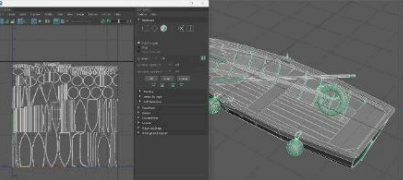
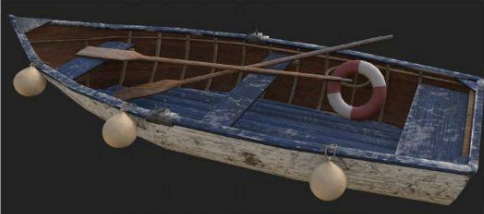
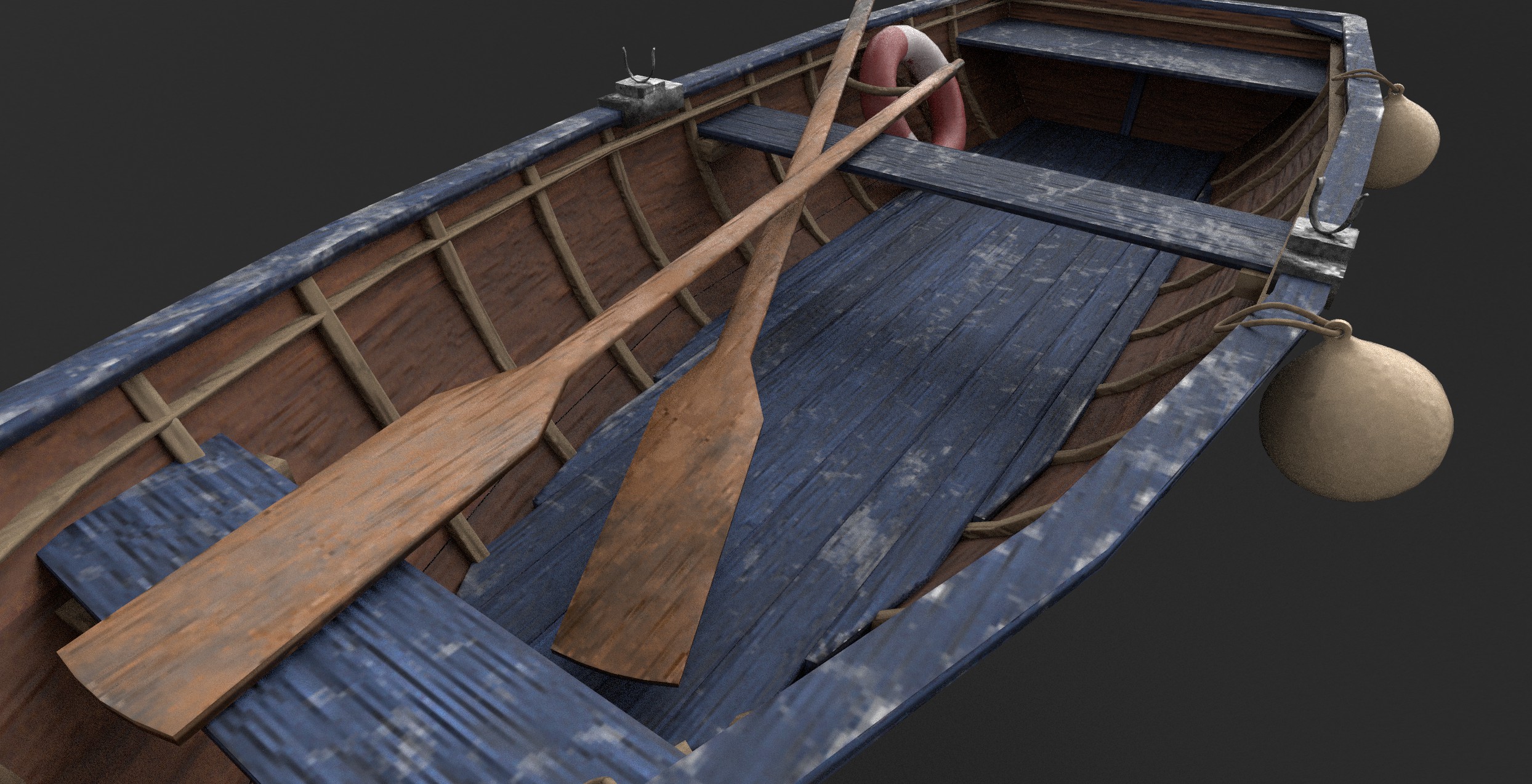
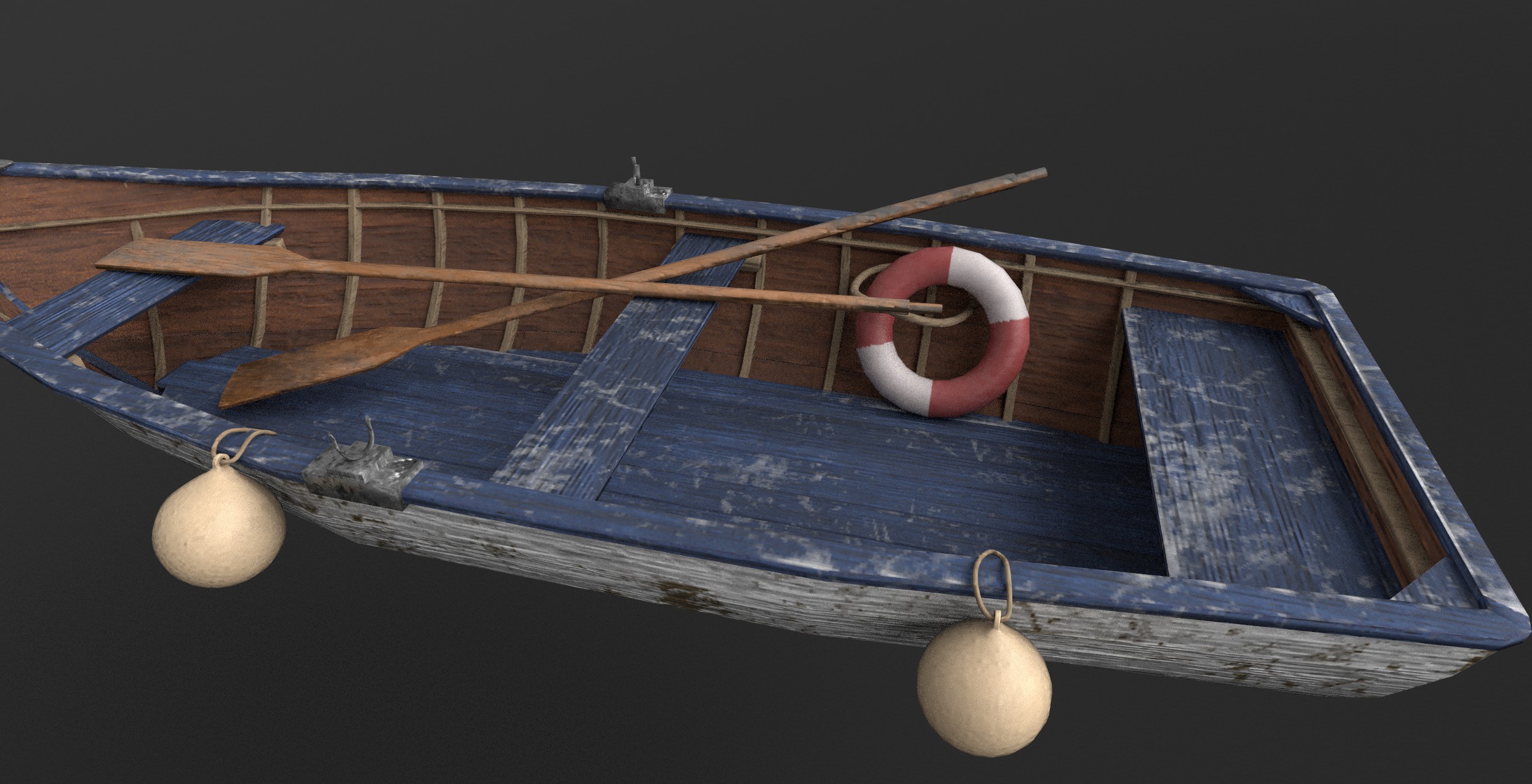
A complete Maya modeling and UV pipeline for a fishing boat asset - built from scratch to learn Maya during the internship, while simultaneously delivering a production-ready game asset. Clean topology, manual UV unwrapping, and Substance Painter texturing matched to the game's existing art direction.

Production Pipeline
Maya · Substance Painter
01
Block Out
Step 1 - block out modeling
Basic hull form
02
Refine
Step 2 - refined modeling
Developing topology
03
UV Unwrap
Step 3 - UV unwrap in Maya
UV layout in Maya
04
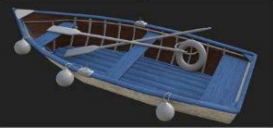
Base Texture
Step 4 - base texture in Substance Painter
Materials in Substance
05
Detail Pass
Step 5 - detail texturing pass
Dirt, wear, edge detail
06
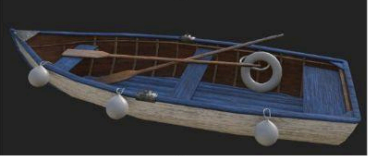
Final Asset
Step 6 - final production asset
Production-ready
Modeling Phase - Maya
Texturing Phase - Substance Painter
Interior Detail
Fishing boat interior texture detail
Full Asset - Final
Fishing boat final side profile
03 / UNITY WEATHER SHADER SYSTEM

Unity Weather Shader System

Unity 6 · URP · HLSL · Shader Graph · C# · Realtime VFX

Developed a system to simulate realistic weather conditions for realtime environments - built in Unity 6 URP as a Technical Art showcase demonstrating shader development, VFX systems, and procedural environment control.

The system features a procedural ocean mesh with 40,000+ vertices driven by layered sine wave animation and vertex-color foam. Two custom HLSL shaders were written from scratch: OceanWater.shader (URP Lit - fresnel edge glow, two-layer noise normals, depth fade via CameraDepthTexture, foam from vertex color) and CloudSky.shader (Unlit dome - 3-layer domain-warped FBM clouds, sky gradient, horizon fade).

Four weather states - Clear, Rain, Storm, Snow - are driven by a central C# WeatherController state machine with 3.5-second smooth transitions. Each state controls: directional light color and intensity, fog density and color, ambient light, ocean wave height and speed, ocean and cloud material properties, particle system emission rates, and camera background color.

Unity Weather Shader System - Full Demo
Four weather states - Clear, Rain, Storm, Snow - with smooth transitions. Procedural ocean mesh, custom HLSL shaders, C# state machine.
04 / CANNON TRAIL VFX

Gameplay feedback. Visual readability.

Developed a VFX effect for a flying ship cannon projectile - a cannon trail and smoke effect built using Unity particle systems. The effect includes a high-speed projectile trail with motion blur, expanding smoke dissipation on impact, and layered particle emitters for realistic ballistic visual feedback.

Cannon Trail & Smoke - Unity Particle System
Cannon trail and smoke effect - layered particle emitters for ballistic visual feedback and projectile readability
05 / SUMMARY

What the internship delivered.

The Thales internship was five months inside a professional production environment - real client, real sprints, real feedback loops. Every piece of work went through supervisor review before shipping into the game.

The primary technical contribution was shader development and VFX systems in Unity URP: custom HLSL shaders, Shader Graph weather shader variations, particle-based VFX including cannon trail and projectile smoke effects, rain ripple systems, and the Unity Weather Shader System - a full procedural weather environment with four animated weather states (Clear, Rain, Storm, Snow), procedural ocean mesh, cloud dome shader, and C# state machine driving all transitions.

3D asset production was an additional contribution: learning Maya from scratch and building a fishing boat asset with clean topology, manual UV unwrapping, and bake-ready preparation for Substance Painter. Texturing work covered generator-based workflows - dirt masks, metal edge generators, and alpha painting for production surface details.

Skills Developed
  • +Custom HLSL shaders in Unity URP - ocean, cloud dome, weather variations
  • +Shader Graph - weather state shader systems
  • +Unity VFX - particle systems, cannon trail, rain ripples, snow, lightning
  • +C# state machine for procedural weather environment
  • +Maya modeling and UV pipeline (3D asset production)
  • +Substance Painter - generators, alpha painting, edge wear
  • +Agile / Scrum inside a professional company environment
  • +Playtesting - plan, test, report from start to finish
Key Takeaways
Workflow

Show the moodboard first. Get mesh approval before texturing. Iterate at each stage rather than at the end.

Positioning

This internship confirmed that the Technical Artist path fits - working across modeling, texturing, VFX, and engine integration within one production cycle.

Tools

Maya is now a primary modeling tool. Substance Painter generator workflows are ready for production. Unity VFX basics are established.

AI Integration / 2026 C++ Editor Widget · Unreal Engine 02
NEW · AI INSIDE THE TOOL

An assistant built into Unreal.

I extended the procedural roadside tool with a C++ powered chat interface that lives inside the Unreal editor. Artists type what they want - "make a semi detached residential street" - and the scene reacts. The AI translates natural language into procedural parameters in real time.

Layer
C++ Editor Widget
Talks To
PCG & Blueprints
Status
Live Prototype
Built In
May - Jun 2026
01 / WHY

From clicking to talking.

The procedural tool already turned hours of clicking into a couple of sliders. But sliders still need the artist to learn what each one does. The next step felt obvious: let them describe it instead.

Type a sentence. The assistant figures out which PCG params to set, which Blueprint flags to flip, which seed to use. Same tool underneath, friendlier doorway on top.

02 / IN ACTION

See it running.

This is the live editor panel. Type a command, watch the scene rebuild. Quick-action buttons sit underneath for the six commands you'll use over and over.

AI Widget - close-up of the assistant panel
C++ Architecture - how the assistant talks to PCG and Blueprints
AI Procedural Assistant online
› YOU
Make a semi detached residential street.
› ASSISTANT
Done. A detailed semi-detached residential street setup was applied.
QUICK ACTIONS
Terraced Semi-Detached Rand. Fences Rand. Props Detailed Settings
› YOU
Set left distance to 600
Natural language → params

Type a sentence, the assistant maps it onto the right PCG values and Blueprint flags.

Quick actions

Six recurring commands sit as one-tap buttons. Fast for repetitive shots.

Non-destructive

Every AI change is just a parameter change. Artists can undo, override, ignore.

Editor native

Built as a C++ editor widget. No external service. Lives next to the Outliner.

$ try:
"Make a terraced residential street."  ◆  "Enable yards and fences."  ◆  "Randomize front props."  ◆  "Set left distance to 600."  ◆  "Regenerate with seed 47."  ◆  "Disable houses on the left side."  ◆  "Make a terraced residential street."  ◆  "Enable yards and fences."  ◆  "Randomize front props."  ◆  "Set left distance to 600."  ◆  "Regenerate with seed 47."  ◆  "Disable houses on the left side."  ◆  
03 / WHAT'S NEXT

Where this is going.

Right now it's a prototype - it understands the vocabulary of this tool. Next steps: hook it into a local LLM, expose more parameters, and let it explain what it did so artists learn the underlying knobs over time.

The bigger idea: tools that meet you where you are. If you know the parameters, use the sliders. If you don't, just say what you want. Same outcome, two doorways.

Anatolii Oliper

Pipeline thinker. Tool builder.

Started in 3D art - modeling, sculpting, texturing - and moved into tool development. That overlap is where I operate best. I understand what artists need because I've worked on both sides of the pipeline.

Finishing a Bachelor in Creative Media and Game Technologies at Hanze University of Applied Sciences in the Netherlands. Prior background includes software development training at IT Step Academy in Ukraine and an exchange semester in Game and Simulation Arts at Shawnee State University in the US. That combination of art training and software development is what makes the TA role a natural fit.

Currently completing a Technical Artist internship at GameLab Oost / Verjo, delivering a procedural environment system to a real driving simulation client.

Based in
Groningen, Netherlands
Languages
EN, DE, NL, UA
Available
From June 2026
Looking for
Tech Art / Tools Dev roles
JAN 2026 to JUN 2026
Technical Artist Intern
STICHTING GAMELAB OOST / VERJO
Building procedural tools in Unreal for Dutch roadside environments used in driving simulators. Blueprints and PCG for roads, building rows, yards, fences, foliage, and props. Lots of artist facing parameters: spacing, offsets, random seeds, house variation. Working directly with the client to make sure the tool actually fits how they work.
AUG 2024 to JAN 2025
Game Artist Intern
THALES
Developed VFX systems and custom shaders in Unity URP for a professional game project. Built particle-based effects including cannon trail and projectile smoke. Created procedural rain ripple systems and dynamic weather shader variations using Shader Graph and custom HLSL. Also contributed 3D asset production - modeling, sculpting, rigging and animation in Maya, texturing and baking in Substance Painter. First professional Agile pipeline experience delivering assets and effects to production deadlines in a multidisciplinary team.
DEC 2023 to DEC 2024
Software Developer
KRAUSKOPF SICHERHEITSTECHNIK
Built automation tools and workflow scripts for internal business processes. Data migration between systems. Writing software for non-technical users with varying skill levels - the same core problem as building artist-facing tools in Unreal.
SEP 2023 to AUG 2024
Freelance 3D Artist
UPWORK
Low-poly 3D assets for games and interactive projects - props, vehicles, environment pieces, and architectural visualization. Clean topology, optimized UV layouts, production-ready for real-time engines. Substance Painter texturing pipeline, bake-ready meshes, LOD-conscious modeling. Direct client communication, iterative delivery, and version-controlled asset handover.

Procedural Systems

  • PCG Framework
  • Spline-Based Placement
  • Environment Automation
  • Cluster-Based Generation
  • Seed-Based Randomization
  • AI-Assisted Workflows

Unreal Engine 5

  • Blueprint Scripting
  • C++ Editor Widgets
  • Construction Scripts
  • PCG Graphs
  • Details Panel Tools

Programming

  • C++
  • C#
  • Python
  • Blueprints (Visual)

3D Pipeline

  • Maya
  • Substance Painter
  • ZBrush
  • Blender
  • Modeling, UV, Baking

Production Workflow

  • GitHub
  • Agile / Scrum
  • Technical Documentation
  • Client Collaboration
  • Jira

Other Engines

  • Unity
  • Godot
  • Houdini (basics)
SEP 2022 to JUN 2026

BA Creative Media and Game Technologies

HANZE UAS / NETHERLANDS

Game art, technical art, real time 3D, Unreal Engine, procedural asset creation, team projects.

JAN 2025 to MAY 2025

Exchange / Game and Simulation Arts

SHAWNEE STATE UNIVERSITY / USA

3D character modeling, animation, motion capture, ZBrush anatomy sculpting, an Unreal multiplayer team project.

SEP 2020 to JUL 2022

Software Development Program

IT STEP ACADEMY / UKRAINE

Programming fundamentals, OOP in C++, C#, databases, algorithms, data structures, networking basics.

FEB 2024 to JUL 2024

Cosmic Horror Game

STARTUP STYLE PROJECT / UE5

Combat system, story, level design, 3D models. Prepared for a Kickstarter. Unreal Engine 5, Blueprints, some C++.

JAN 2025 to MAY 2025

3D Multiplayer Game

TEAM PROJECT / SHAWNEE STATE

Gameplay in Blueprints and C++, level design, real time production. Team based multiplayer exchange project.

JUN 2025 to NOW

Python Backtesting Tools

PERSONAL / PYTHON + MT5

Python tools for testing algorithmic trading strategies. Backtest analysis app for strategy results and risk metrics.

Let's talk.

I'm open to Technical Artist, Tools Developer, Unity Developer, and Unreal Engine roles from June 2026 onwards. Also open to programming and generalist developer positions. Studios, simulation companies, defence tech, anyone building tools for artists or real-time systems. I'd love to hear from you.